
Loading Miami Tech Emergency
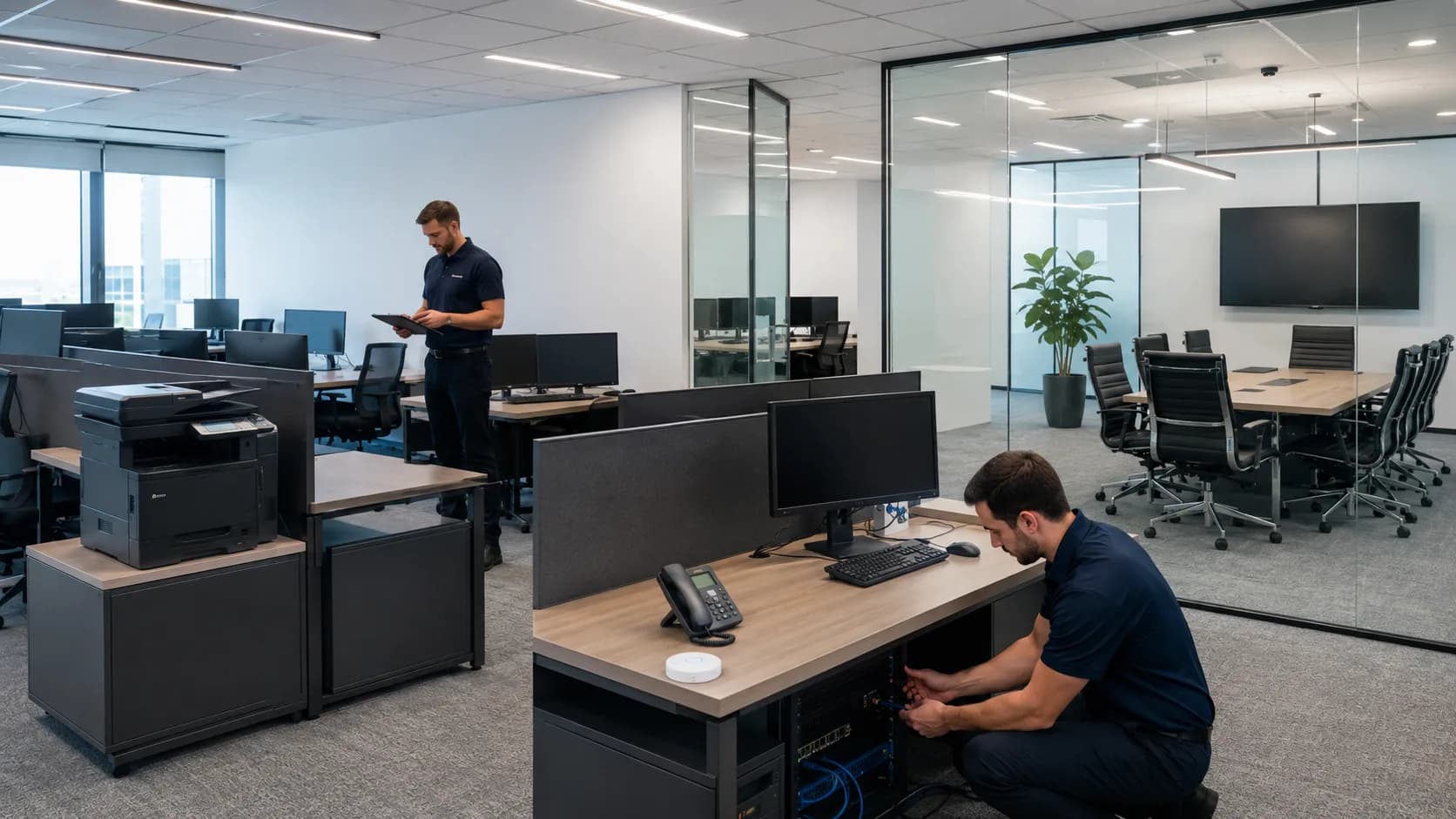
New office technology setup in Miami
Opening a New Office? Get the Technology Ready Before Your Team Arrives. Icon

Opening a New Office? Get the Technology Ready Before Your Team Arrives.

Technology planning and setup for new and relocating Miami offices, including internet, network, Wi-Fi, computers, printers, phones, conference rooms, guest access, and connected business systems.

New locations · Office moves · Expansions · Miami-Dade

One location. Multiple technologies. One plan to get the business ready to work.

Technology belongs in the move-in plan

Last-Minute Technology Decisions Create Opening-Day Problems

When internet, Wi-Fi, computers, printers, phones, conference rooms, and connected systems are handled separately, or after construction and furniture are complete, small oversights can delay the entire opening.

These are diagnostic signals, not guesses. The visit confirms the root cause before work begins.

  • 01

    Internet Enters in the Wrong Location

    The provider installs service wherever it is easiest, leaving network equipment far from the area where the business actually needs it.

  • 02

    Wi-Fi Equipment Has Nowhere Appropriate to Go

    Access points, switches, or gateways are placed around completed furniture and construction instead of the coverage and cabling plan.

  • 03

    Conference Rooms Lack the Right Connections

    Displays, cameras, microphones, presentation devices, and network connectivity are considered after the room is already in use.

  • 04

    Printers Are Placed Wherever a Connection Exists

    Employees inherit inconvenient locations, weak wireless connectivity, and scanning or network settings that were never prepared for the new office.

  • 05

    Employees Arrive Before Computers Are Ready

    Workstations still need accounts, software, peripherals, printers, network access, cloud services, and user-specific setup on opening day.

  • 06

    Opening Depends on Last-Minute Technology Fixes

    Multiple vendors complete their own portion, but nobody verifies that the complete environment works together before employees and customers arrive.

What we can help coordinate

Make the Different Pieces Work Together

Every office is different. The objective is to create one operational environment instead of treating each device, room, and vendor as a disconnected project.

  • Internet Service Planning

    Provider availability, installation timing, bandwidth, equipment handoff, network location, static IP requirements, and backup connectivity can be considered early.

  • Business Network & Wi-Fi

    Routers, switches, access points, Ethernet, employee and guest networks, segmentation, device capacity, and coverage can be planned as one system.

  • Computers & Workstations

    New or relocated computers can be connected, configured with displays and peripherals, prepared for printers, and coordinated with required software and cloud services.

  • Printers, Scanners & Shared Resources

    Locations, connectivity, scanning destinations, shared access, and settings can be prepared for the new environment instead of inherited from the old office.

  • VoIP & Business Communications

    Phone locations, wired connectivity, internet dependency, network capacity, backup service, and power requirements can be incorporated into the network plan.

  • Conference Rooms & Displays

    Televisions, video calls, cameras, microphones, speakers, presentation connectivity, guest access, and network service can be installed and tested before the first meeting.

Start with the internet connection

Provider Installation Should Not Be Left Until Opening Week

A fully furnished office can still be unable to operate if service was not ordered, the handoff is in the wrong location, the plan is inadequate, or the network area was never prepared.

Internet Planning Questions

  • Which providers are available?
  • Where does service enter?
  • Where should equipment live?
  • How much bandwidth is realistic?
  • Is a static IP needed?
  • Would backup internet add value?
  • When should installation be scheduled?
  • Does the service fit future growth?

Organize the network from day one

Separate Employees, Guests, and Business Systems

A new office is the easiest time to create appropriate boundaries, capacity, and management instead of placing every device on the same ISP router and password.

  • Employees

    Trusted company computers and work devices with access to the resources the team needs.

  • Guest Wi-Fi

    Clients, patients, vendors, and visitors receive internet without joining the same network as internal business systems.

  • POS & Operational Systems

    Payment, ordering, kitchen, inventory, and other critical devices can operate separately from guest and non-critical traffic.

  • Security Cameras

    Surveillance equipment and related devices can receive appropriate connectivity and network boundaries.

  • Smart Devices & Displays

    TVs, signage, conference technology, access control, and connected devices can be organized according to their actual purpose.

  • Network Management

    Routers, switches, access points, controllers, and administrative resources can be protected from ordinary users and visitors.

Reliable Wi-Fi from day one

Design Coverage Around the Office, Not the ISP Router

Layout, employee work areas, conference rooms, reception, waiting areas, device count, guest usage, walls, building materials, and future expansion should influence access point placement.


Continuity for critical offices

Consider Backup Internet During Initial Design

Secondary wired service, another provider, cellular backup, or automatic failover is easier to incorporate before an outage affects cloud applications, VoIP, payments, remote systems, scheduling, and client communication.

New office setup in Miami

Technology for Professional and Customer-Facing Locations

A location does not need a complicated server room to depend heavily on cloud applications, communications, printers, payments, cameras, Wi-Fi, and shared technology.

  • Professional Offices

    Accounting, tax, law, insurance, finance, real estate, property management, consulting, engineering, and architecture firms.

  • Medical & Dental Offices

    Locations depending on reliable workstations, communications, cloud services, printers, guest access, cameras, and professional equipment.

  • Retail Locations

    POS, payments, inventory, office systems, cameras, employee devices, guest access, displays, and operational technology.

  • Restaurants & Hospitality

    Registers, handhelds, kitchen printers, online ordering, delivery tablets, cameras, guest Wi-Fi, music, displays, and office systems.

  • Expanding & Additional Locations

    Office expansions, additional branches, property offices, clubhouses, common areas, and operational spaces that need a coordinated technology plan.

  • Relocating Businesses

    Teams moving existing employees, computers, printers, phones, systems, and accumulated equipment into a new environment.

Moving an existing office?

Do Not Move Old Problems Into a New Location

A relocation is an opportunity to clean up years of accumulated equipment, identify what belongs to each system, and build a more organized environment.

Reuse What Still Serves the Business

Existing computers, printers, switches, access points, peripherals, cabling, and other technology may remain useful when they fit the new location and requirements.

Replace or Retire What Should Not Move

A relocation is the right time to identify obsolete equipment, weak infrastructure, unused devices, confusing accessories, and technology that would recreate old limitations in the new office.

Coordinate before opening day

Three Phases to Discover Problems Before Employees and Customers Do

Phase 1

Before Move-In

  • Review the office layout
  • Confirm provider availability
  • Plan network equipment location
  • Determine Wi-Fi coverage
  • Identify cabling requirements
  • Review critical business systems

Phase 2

During Setup

  • Install and configure network equipment
  • Connect internet service
  • Configure employee and guest Wi-Fi
  • Prepare workstations
  • Connect printers and shared devices
  • Set up operational systems

Phase 3

Before Employees Arrive

  • Test internet and Wi-Fi
  • Verify printers and shared resources
  • Confirm critical applications
  • Test phones and conference rooms
  • Verify guest access
  • Test backup internet when applicable

Plan beyond opening day

Infrastructure That Supports Reasonable Growth

Planning for growth does not mean buying unnecessary equipment. It means avoiding decisions that make normal expansion unnecessarily difficult.

  • Additional Employees

    Workstation capacity, switch ports, Wi-Fi devices, accounts, printing, and shared systems can allow reasonable team growth.

  • More Computers & Printers

    Network connections, device placement, shared access, peripherals, and power can accommodate normal expansion without improvised fixes.

  • Additional Coverage & Guest Usage

    Access points, employee density, visitors, new office areas, and conference spaces can be considered before the initial installation.

  • New Cameras & Operational Devices

    Network capacity, ports, traffic separation, equipment location, and connectivity can account for systems added later.

  • More Cloud & Communication Services

    VoIP, video meetings, remote systems, document platforms, and other internet-dependent tools can influence the infrastructure plan.

  • Backup Internet

    Secondary wired service, another provider, cellular backup, or automatic failover can be incorporated before an outage interrupts a new office.

Know What Was Installed

Basic documentation can identify internet services, network equipment, access points, important device locations, network organization, critical connections, and relevant infrastructure notes.

One Point of Contact for the Technology Side

We do not need to replace every specialized vendor. We help bring providers, contractors, equipment, software, network infrastructure, and connected technology together so the environment supports the systems the business needs.

Clear before we begin

Free On-Site Project Assessment

For installation and infrastructure projects, the on-site assessment is free. We walk the space, review the requirements, and deliver a clear scope and estimate. You decide with the full picture and no commitment.

From Floor Plan to Opening-Day Readiness

The best time to solve technology problems is before the team is waiting for them to be fixed.

  • Define the Office Requirements Icon
    Step 1

    Define the Office Requirements

    Share the location, opening date, employee count, floor plan, current equipment, vendors, critical systems, and technology the business needs on day one.

  • Plan the Technology Environment Icon
    Step 2

    Plan the Technology Environment

    We coordinate internet, network location, Wi-Fi, Ethernet, workstations, printers, communications, guest access, operational devices, and future capacity.

  • Configure & Connect Icon
    Step 3

    Configure & Connect

    Approved equipment and services are installed, existing devices are relocated or replaced as planned, and the different systems are connected as one environment.

  • Test Before Opening Icon
    Step 4

    Test Before Opening

    Internet, Wi-Fi, workstations, printers, phones, shared resources, guest access, critical applications, conference rooms, and backup connectivity are verified.

CTA Icon

Opening or Moving an Office in Miami?

Tell us about the new location, expected opening date, number of employees, existing equipment, and the technology the business needs to operate.

Questions before your visit

Frequently Asked Questions

Contact Miami Tech Emergency

Tell Us About the New Location

Include the address or area, opening date, employee count, office layout, internet status, computers, printers, phones, rooms, operational systems, vendors, and any equipment being moved.

Miami skyline at sunset
Miami Icon

Miami-Dade & Broward Service Areas

We provide on-site computer repair across Miami-Dade and selected Broward cities, with availability confirmed by schedule, distance, and service type.

Miami-Dade

  • Brickell
  • Downtown Miami
  • Wynwood
  • Coral Gables
  • Doral
  • Kendall
  • Coconut Grove
  • Miami Beach
  • North Miami
  • Miami Lakes
  • Miami Springs
  • Hialeah
  • Westchester
  • Aventura
  • Sunny Isles Beach
  • Bal Harbour
  • Surfside
  • Bay Harbor Islands
  • Pinecrest
  • Cutler Bay
  • Homestead
  • Medley
  • Sweetwater
  • El Portal

Key Broward cities

  • Fort Lauderdale
  • Hollywood
  • Pembroke Pines
  • Miramar
  • Davie
  • Plantation
  • Weston
  • Sunrise
  • Coral Springs

Nearby neighborhoods may also be available. If you're not sure whether your location is covered, call us and we'll confirm the best option for your area.

Call us to check availability
Servicing professional laptops, desktops, and workstations from leading manufacturers:
Toshiba
Microsoft Surface
IBM
Lenovo
Samsung
Apple
ASUS
Dell
HP
Acer
Ubiquiti
Unifi