Internet Connectivity
Current service, observed speed and consistency, interruptions, provider equipment, and whether additional bandwidth is likely to address the reported problem.
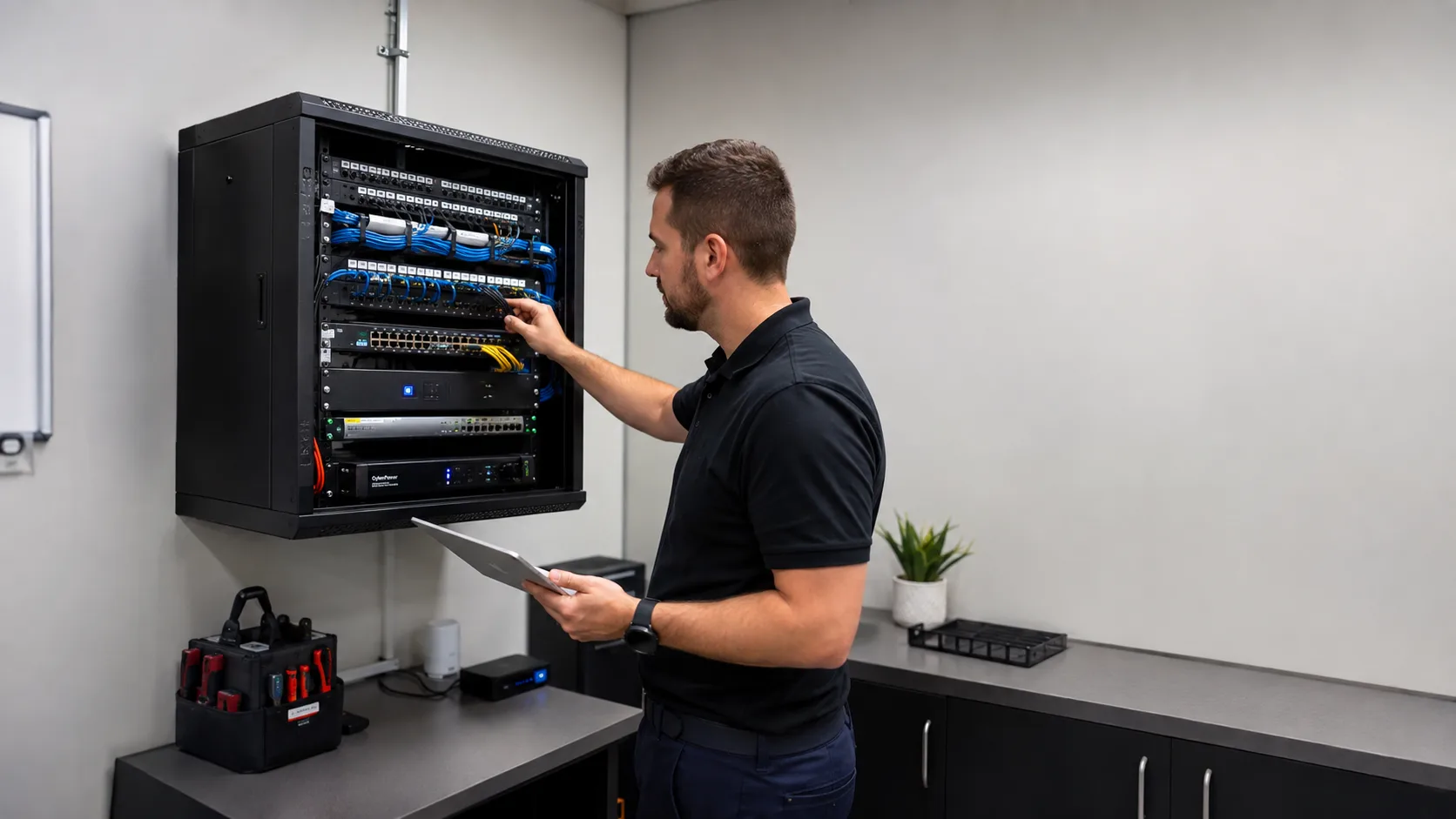

A practical on-site assessment of the internet, Wi-Fi, equipment, devices, security, bandwidth, organization, visibility, and resilience your Miami business depends on every day.
Understand first · Prioritize clearly · Improve practically
You do not have to wait for the network to fail before finding out what is wrong with it.
A checkup for the network
The assessment begins with what the business already has, not the assumption that everything needs replacement.
Current service, observed speed and consistency, interruptions, provider equipment, and whether additional bandwidth is likely to address the reported problem.
Important work areas, weak signal, access point placement, wireless congestion, device density, guest access, and recurring disconnections.
Active network equipment, its role, age, configuration, capacity, and any obvious limitations or unnecessary complexity.
Computers, phones, tablets, printers, POS, cameras, TVs, smart devices, network equipment, guests, and unexpected connections.
Guest isolation, device groups, management access, old networks, credentials, remote access, and unnecessary exposure between systems.
Cabling, hidden switches, stacked equipment, obsolete devices, network closets, damaged connections, power adapters, and equipment from past vendors.
When to consider an assessment
Small, recurring problems and uncertainty are often enough reason to review the environment, especially before purchasing equipment, changing providers, expanding, or waiting for a larger failure.
These are diagnostic signals, not guesses. The visit confirms the root cause before work begins.
Performance seems slower than expected, coverage varies by area, or employees regularly complain without a clear explanation.
Individual systems disconnect, video meetings freeze, or the issue comes and goes before anyone can reproduce it.
More employees, computers, cameras, Wi-Fi devices, guests, cloud applications, and operational systems have been added over time.
The business inherited equipment from a previous vendor, documentation is missing, or nobody knows which devices and cables are active.
Customers, staff, printers, cameras, POS, and smart devices may all use the same network or credentials.
A health check can establish what should remain, what needs attention, and what should be prioritized before buying equipment or changing providers.
Before replacing everything
A new router, faster plan, extra extender, or additional switch can increase cost and complexity when the actual problem has not been identified.
A faster plan cannot correct weak Wi-Fi, damaged cabling, overloaded equipment, inefficient usage, or a device-specific fault.
A connection should remain reliable in offices, conference rooms, service areas, warehouses, and other locations that depend on it.
Cloud backups, file synchronization, cameras, streaming, updates, video calls, guests, or one high-usage device may be consuming capacity.
Current capacity can be considered against planned employees, cameras, printers, POS, conference technology, guests, and cloud services.
Guests, smart devices, cameras, and ordinary users may be able to reach resources that should have clearer boundaries.
The assessment can identify operational impact, existing backup service, automatic failover, and whether 5G or another option deserves consideration.
What is connected?
If nobody knows which computers, phones, printers, POS, cameras, smart devices, network equipment, guests, and unknown devices are present, it is difficult to understand usage or decide what should be allowed.
Understand which devices are present, how they connect, what roles they appear to serve, and whether unexpected equipment is active.
Review whether the platform can show connection availability, network device health, outages, failover events, and historical activity.
Identify heavy usage, guest consumption, camera traffic, cloud services, updates, and other activity when the equipment provides visibility.
Assess whether the existing infrastructure provides useful insight into access points, connected clients, signal, performance, and problem areas.
Guest access and security
We can review whether visitors reach internal resources, see other devices, affect business traffic, follow appropriate schedules, and use properly managed credentials.
Physical organization matters
Unlabeled cables, damaged Ethernet, old devices, hidden switches, stacked equipment, unclear adapters, and disorganized closets can make reliability and future troubleshooting unnecessarily difficult.
Assessments for Miami businesses
Even small locations may depend on cloud applications, video meetings, VoIP, shared documents, POS, printers, cameras, guests, and reliable connectivity throughout the day.
Accounting, tax, law, insurance, finance, consulting, engineering, architecture, real estate, and property management firms.
Professional environments that depend on reliable cloud software, communications, administrative systems, guests, and connected equipment.
POS, payments, printers, inventory, cameras, displays, office systems, employee devices, and customer connectivity.
Registers, payment devices, kitchen printers, online ordering, delivery tablets, guest Wi-Fi, cameras, and employee systems.
Mixed office and floor environments with cameras, printers, mobile devices, access points, switches, and separated work areas.
Teams without internal IT staff that want to understand inherited infrastructure, recurring concerns, security, and readiness for growth.
What you get
The useful outcome is not a complicated report full of terminology. It is understanding what can remain, what deserves attention, and what matters most to the business.
Infrastructure and equipment that can continue being used without creating a meaningful limitation.
Problems or weaknesses that may affect reliability, performance, security, organization, or future support.
Recommendations prioritized according to business impact instead of treating every observation as an emergency.
Useful improvements that may belong in a future phase but are not currently urgent or operationally limiting.
Equipment that is outdated, inappropriate, unreliable, or creating a meaningful limitation for the business.
Not every finding requires a project
A network health check does not automatically lead to a large upgrade. Recommendations follow the evidence found in the existing environment.
The most valuable result may be confirmation that core equipment can remain and only a few adjustments, configuration changes, or small repairs deserve attention.
A damaged cable, guest configuration, access point placement, old device, traffic policy, provider issue, or limited portion of the infrastructure may be the real priority.
A good starting point
“Our network works, but we know it could be better.”
“The Wi-Fi is inconsistent and we do not know why.”
“We inherited this setup and nobody knows how it works.”
“We are growing and want to know if the network can handle it.”
“We want better security but do not know where to start.”
“We keep having small network problems.”
Clear before we begin
The Network Health Check is a flat-rate scheduled visit. You receive documented findings and a prioritized action plan; yours to keep whether or not you hire us for the fixes.
The assessment comes before the recommendation.

Tell us about the business, location, current network, recurring symptoms, security concerns, planned growth, or simply what feels unclear.
We review relevant internet, Wi-Fi, equipment, devices, traffic, security, redundancy, visibility, cabling, and physical organization.

The assessment identifies what is working, what may be limiting the network, and whether the reported symptom matches the suspected cause.

You receive a clear explanation of what should be addressed first, what can wait, and where existing infrastructure can continue being used.
Diagnose unreliable internet, devices, cabling, switches, printers, and local network problems.
Explore serviceSee connected devices, bandwidth use, outages, and equipment health.
Explore serviceBuild or upgrade organized infrastructure designed for business growth.
Explore serviceYour business network does not need to be perfect. It needs to be reliable, understandable, and appropriate for the way the business operates.
Questions before your visit
Contact Miami Tech Emergency
Include the business type, location, current network, recurring symptoms, inherited equipment, security concerns, planned growth, or anything that feels unclear.


We provide on-site computer repair across Miami-Dade and selected Broward cities, with availability confirmed by schedule, distance, and service type.
Miami-Dade
 BrickellDowntown MiamiWynwoodCoral GablesDoralKendallCoconut GroveMiami BeachNorth MiamiMiami LakesMiami SpringsHialeahWestchesterAventuraSunny Isles BeachBal HarbourSurfsideBay Harbor IslandsPinecrestCutler BayHomesteadMedleySweetwaterEl Portal
Key Broward cities
Fort LauderdaleHollywoodPembroke PinesMiramarDaviePlantationWestonSunriseCoral SpringsNearby neighborhoods may also be available. If you're not sure whether your location is covered, call us and we'll confirm the best option for your area.
Call us to check availability











 Chat with us on WhatsApp
 Call us at (305) 873-0480
 Text us at (305) 873-0480