Reuse What Still Works
Existing cabling may be adequate. Certain switches, access points, or network devices may only need reconfiguration, relocation, or better organization.
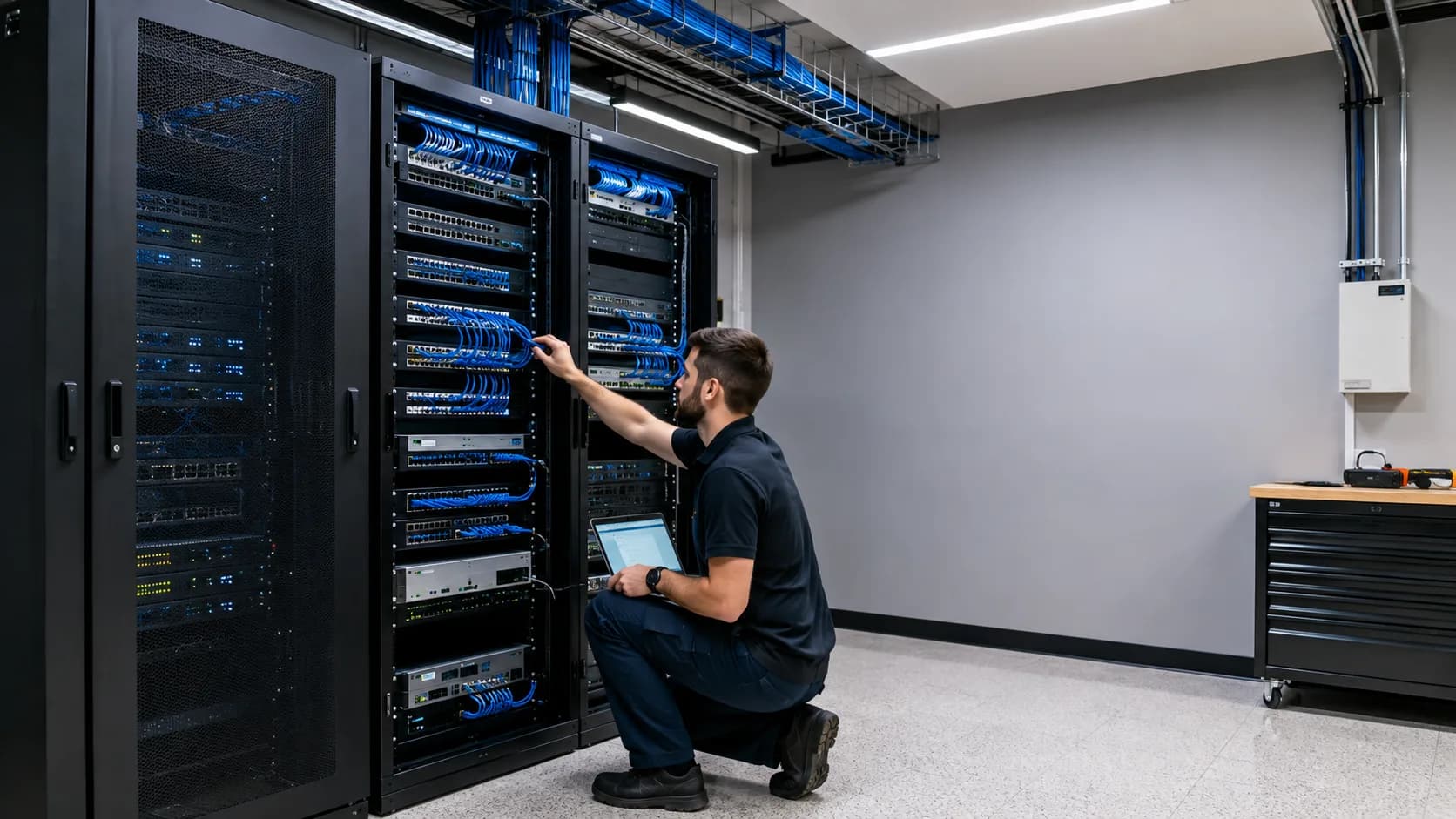
Professional network installation and modernization for Miami businesses, planned around your space, users, devices, critical systems, security requirements, and future growth.
New installations · Existing network upgrades · Miami-Dade
A business network should be designed, not accumulated.
New business network installation
Opening a new office, moving into a commercial space, expanding, or adding another location is the right time to plan internet service, equipment, Wi-Fi, Ethernet, guest access, critical systems, and future capacity together.
Has the business outgrown the network?
Networks often grow one device at a time. A router, switch, extender, camera, printer, or access point gets added as needed until nobody knows how the complete system works or whether it can support the next stage of growth.
These are diagnostic signals, not guesses. The visit confirms the root cause before work begins.
Employees lose connection, Wi-Fi changes between areas, and performance drops as more people and devices arrive.
Equipment was added one piece at a time without a plan for the complete space, device count, or operational workload.
Multiple switches are connected together, equipment is scattered under desks, and nobody knows which cable serves which system.
Guest devices, computers, POS systems, cameras, printers, and smart equipment all communicate without appropriate separation.
Infrastructure that once supported a small team now struggles with more employees, devices, cloud services, cameras, and traffic.
Cloud applications, VoIP, payments, and online services all depend on one connection with no backup or automatic failover.
What a project can include
Every location is different. The right combination depends on the space, number of users, connected devices, critical operations, internet dependency, and existing infrastructure.
A network gateway selected and configured around the location, internet services, security requirements, and expected growth.
Appropriately sized managed or unmanaged switching for computers, phones, access points, printers, cameras, and operational equipment.
Wireless coverage designed as part of the network, with placement, capacity, roaming, guest access, and wired connectivity considered together.
Wired connections, network drops, patching, cable paths, and coordination for structured cabling when the project requires it.
A cleaner, centralized place for internet equipment, switches, patching, power, camera equipment, and other network infrastructure.
Important devices, connections, locations, internet services, access points, and network segments can be documented for easier future support.
Built around the business
There is no universal package. A five-person accounting office has different requirements from a restaurant, warehouse, retail store, or multi-floor professional office.
Accounting, tax, legal, insurance, real estate, consulting, engineering, architecture, and financial service firms.
Professional environments with critical workstations, communications, cloud systems, guest access, cameras, and specialized equipment.
Registers, payment devices, inventory tools, employee systems, cameras, displays, and customer connectivity.
POS stations, handhelds, kitchen printers, staff systems, cameras, guest Wi-Fi, audio, and outdoor service areas.
Large floors, multiple work areas, office zones, cameras, printers, wireless devices, and links between separate spaces.
New offices, additional locations, office expansions, property management offices, clubhouses, and common areas.
Security through organization
Not every device needs access to everything else. Thoughtful separation can improve security, control, organization, and troubleshooting while employees continue using the network normally.
Employee workstations and trusted company devices that need access to business resources.
Customers and visitors who need internet access without visibility into internal systems.
Payment terminals, kitchen systems, registers, inventory tools, and other critical operational devices.
Video surveillance, recorders, and related equipment separated according to the needs of the environment.
Displays, TVs, thermostats, access control, and other connected devices that do not need broad internal access.
Network equipment and administrative resources reserved for the people and systems responsible for infrastructure.
Wi-Fi is part of the network
Access points must be positioned and configured around the space, device count, high-density areas, roaming needs, guest access, and the wired network behind them.
Infrastructure that can grow
A network that barely supports today becomes tomorrow's problem. The foundation should allow the business to add people, systems, and services without starting over every time.
Capacity and switching should allow reasonable growth without redesigning the entire network for every new workstation.
Coverage can expand as rooms, floors, outdoor areas, or device density increase.
Power, ports, network segments, and bandwidth can account for new cameras, POS devices, printers, and smart equipment.
Primary, secondary, or cellular connectivity and automatic failover can be considered before downtime becomes an emergency.
VoIP, conferencing, remote access, cloud software, and higher bandwidth requirements can be built into the plan.
A clear network foundation makes future expansion, standardization, and support easier across multiple business sites.
Modernize selectively
A modernization project should begin by understanding what the business already owns and where the actual limitations are.
Existing cabling may be adequate. Certain switches, access points, or network devices may only need reconfiguration, relocation, or better organization.
Modernization focuses on the limitations that matter, outdated gateways, insufficient switches, poor Wi-Fi design, mixed traffic, weak organization, or missing redundancy.
Organize the network you already have
Old routers, unused switches, unidentified cables, adapters, ISP equipment, camera hardware, and devices from previous vendors can make every future problem more difficult than necessary.
Determine which routers, switches, access points, ISP devices, camera systems, power adapters, and other equipment are still in use.
Clear identification reduces the time required to understand critical uplinks, internet handoffs, switches, access points, and device connections.
Organized patching and power connections make the network area easier to inspect, maintain, and expand.
A simple overview of internet connections, equipment, locations, access points, network segments, and critical systems can improve future troubleshooting.
Prepare for outages
A modernization project is an opportunity to consider primary service, secondary providers, cellular or 5G backup, automatic failover, and which systems must remain online.
Know what is happening
Modern equipment can provide insight into device status, internet availability, bandwidth usage, high-usage devices, traffic patterns, Wi-Fi performance, and unexpected connections.
Moving or expanding?
Before move-in, we can evaluate provider options, network closet or rack placement, equipment locations, Wi-Fi coverage, Ethernet requirements, work areas, printers, conference rooms, guest access, POS or operational systems, cameras, backup internet, and future expansion.
Clear before we begin
For installation and infrastructure projects, the on-site assessment is free. We walk the space, review the requirements, and deliver a clear scope and estimate. You decide with the full picture and no commitment.
The project starts with the business requirements, not a preselected package of equipment.

Share the location, business type, current network, number of users and devices, and what the new infrastructure must support.

We review physical layout, internet services, equipment locations, cabling, Wi-Fi needs, critical systems, and what may still be reusable.

The recommendation covers the infrastructure, organization, security, capacity, and reasonable future growth appropriate for the business.

Approved equipment is installed and configured, important connections are organized, and the network is prepared for daily operation and future support.
Install a centrally managed business network with coverage and segmentation.
Explore serviceKeep critical systems online with secondary service and automatic failover.
Explore serviceCoordinate internet, Wi-Fi, computers, printers, phones, and opening-day readiness.
Explore serviceTell us about your business, location, current network, and what the new infrastructure needs to support. We can evaluate the environment, identify limitations, and develop a practical plan.
Questions before your visit
Contact Miami Tech Emergency
Include the business type, location, number of users, current equipment, connectivity problems, planned devices, and any upcoming move or expansion.


We provide on-site computer repair across Miami-Dade and selected Broward cities, with availability confirmed by schedule, distance, and service type.
Miami-Dade
BrickellDowntown MiamiWynwoodCoral GablesDoralKendallCoconut GroveMiami BeachNorth MiamiMiami LakesMiami SpringsHialeahWestchesterAventuraSunny Isles BeachBal HarbourSurfsideBay Harbor IslandsPinecrestCutler BayHomesteadMedleySweetwaterEl PortalKey Broward cities
Fort LauderdaleHollywoodPembroke PinesMiramarDaviePlantationWestonSunriseCoral SpringsNearby neighborhoods may also be available. If you're not sure whether your location is covered, call us and we'll confirm the best option for your area.
Call us to check availability











 Chat with us on WhatsApp
 Call us at (305) 873-0480
 Text us at (305) 873-0480