Prioritize During an Outage
Business computers, cloud applications, VoIP, POS, payments, online ordering, email, and other critical systems can receive available backup capacity first.
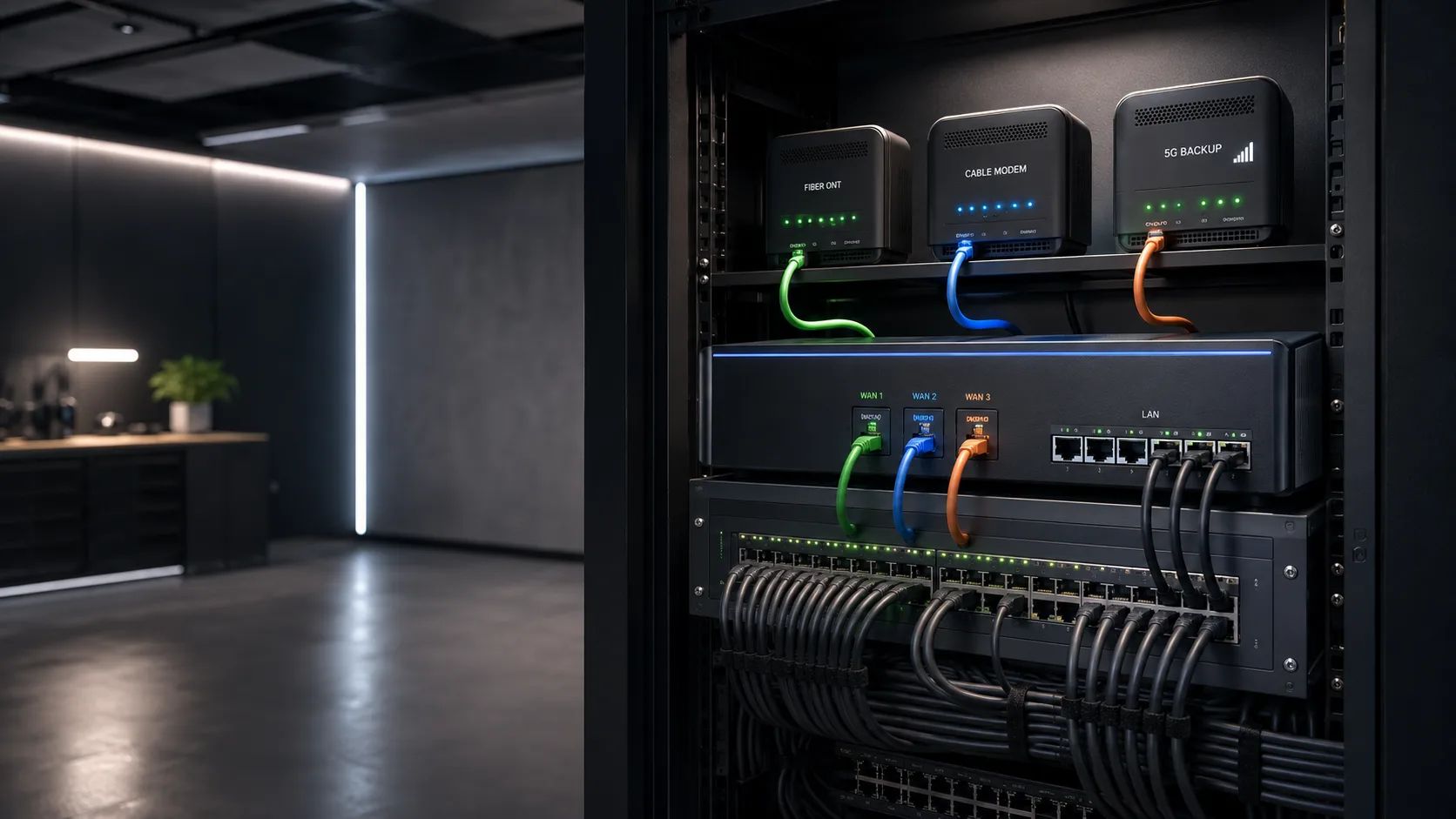

Business internet backup and redundancy solutions for Miami offices, professional firms, retail locations, restaurants, and other operations that cannot depend on a single connection.
Automatic failover · Secondary internet · 5G backup
Your internet connection can fail. Your business does not have to stop with it.
One connection, one point of failure
Excellent Wi-Fi, reliable computers, and modern switches cannot keep cloud applications online if everything ultimately depends on one internet path. The question is not whether an outage can happen, it is what the business will do when it does.
These are diagnostic signals, not guesses. The visit confirms the root cause before work begins.
A provider outage can interrupt the entire location even when your internal network and equipment are operating correctly.
Construction, damaged local infrastructure, or a physical service-path failure can take a connection offline for minutes or hours.
A modem, gateway, optical terminal, or other provider-managed device can become the single point that stops the business.
Telecommunications rooms, shared property equipment, power events, or local handoffs may affect service before it reaches your network.
Storms and other external events can affect wired or wireless infrastructure outside your control.
Provider migrations, equipment replacement, construction, and network upgrades can create scheduled interruptions too.
Automatic internet failover
Compatible network equipment can detect the outage, route approved traffic through backup service, and return to the primary connection according to policy when service is restored.
Primary Internet Fails
Backup Activates
Critical Operations Stay Connected
Backup internet options
The right option depends on provider availability, location, building construction, cellular coverage, required capacity, operations, and budget.
A second wired service can provide substantial backup capacity. When available, a different provider may reduce dependence on one ISP.
Cellular service can create an independent path without another wired installation and may be ideal for keeping essential applications online.
Businesses with greater continuity requirements can use separate providers with predefined failover, traffic, or usage policies.
A second service is not enough
The network must know when the primary connection actually fails, which devices may use the backup, how capacity is protected, what happens when service returns, and how the business will know failover occurred.
Business computers, cloud applications, VoIP, POS, payments, online ordering, email, and other critical systems can receive available backup capacity first.
Guest Wi-Fi, large downloads, updates, streaming, and high-bandwidth background activity can be restricted so a smaller backup connection remains useful.
Keep the right systems connected
The backup connection does not always need to reproduce the full normal workload. It needs to support what the business cannot afford to lose during an outage.
Keep access to business software, secure portals, documents, email, and other cloud services employees need to work.
Maintain essential connectivity for selected workstations and users instead of attempting to preserve every normal activity.
Support internet-based phones, messaging, and critical communications when the primary provider is unavailable.
Help customer-facing systems continue processing transactions and communicating with required online services.
Maintain ordering platforms, delivery services, kitchen systems, management tools, and other internet-dependent workflows.
Preserve access to the systems the business identifies as essential during a reduced-capacity internet event.
Internet redundancy starts with the network
The connections, equipment, traffic policies, monitoring, segmentation, testing, and documentation work together as one continuity system.
Compatible business equipment detects connection health and manages more than one internet service according to configured policies.
When the primary service becomes unavailable, traffic can transition to the backup without employees moving cables or changing Wi-Fi networks.
Critical systems can receive priority while guest access, large downloads, streaming, updates, and background traffic are restricted or deprioritized.
Business systems, guests, cameras, smart devices, and other groups can follow different rules when the network is operating on backup capacity.
Depending on the platform, visibility can include outages, failover events, connection status, performance, and historical availability.
The failover path is tested with critical systems, return to primary service is verified, and the intended behavior is documented.
Business continuity in Miami
If losing internet for an hour would significantly affect revenue, customer service, employee productivity, communications, payments, online orders, or critical systems, redundancy is worth evaluating.
Law, accounting, insurance, financial, consulting, engineering, architecture, real estate, and property management firms.
Locations relying on cloud applications, communications, secure portals, scheduling, and other internet-based professional systems.
Registers, payment processing, inventory, management systems, online services, cameras, and employee communications.
POS, credit cards, online orders, delivery platforms, kitchen systems, cloud tools, music, and business communications.
Businesses depending on communications, cameras, access systems, cloud software, and remote property management tools.
Any business where an hour without connectivity would significantly affect revenue, productivity, customers, payments, or access to critical systems.
Is 5G backup enough?
Cellular backup can be excellent for essential connectivity, but performance depends on coverage, building construction, signal quality, carrier availability, congestion, device count, applications, and required bandwidth. Some businesses are better served by a second wired provider.
Two services are most useful when they do not depend on the same failure path. Different providers, wired versus cellular, and different service technologies can reduce shared dependencies.
Failover or load balancing?
Combining two services does not automatically make every application twice as fast. For many businesses, reliable automatic failover is more valuable than unnecessary complexity.
For many small and medium businesses, the most useful design is simple: use the primary connection normally and switch to backup automatically only when needed.
Some environments may use multiple connections during normal operation or assign them different purposes. This adds complexity and should be based on real application requirements.
Already have backup internet?
A backup connection that has never been tested should not be assumed reliable. We can review the present configuration and whether it still fits the business.
We verify whether the network detects a real loss of internet and transitions without someone manually reconnecting equipment.
A service that appears active on a bill may still fail to carry the systems the business expects during a real outage.
Capacity, signal, device access, traffic policies, and application behavior are reviewed under backup conditions.
Monitoring and notifications help the business recognize an outage even when employees continue working on the backup connection.
Clear before we begin
For installation and infrastructure projects, the on-site assessment is free. We walk the space, review the requirements, and deliver a clear scope and estimate. You decide with the full picture and no commitment.
The worst time to discover that backup internet does not work is during a real outage.

Tell us about the business, current provider, critical applications, phones, POS systems, online services, and outage impact.

We consider secondary providers, wired versus cellular service, building conditions, capacity, signal, and shared dependencies.

Compatible network equipment, failover behavior, traffic policies, critical-system priority, monitoring, and return to primary service are configured.

We simulate loss of the primary connection, verify critical systems, restore the primary service, and confirm normal operation returns.
See connected devices, bandwidth use, outages, and equipment health.
Explore serviceSupport connectivity around payments, ordering, printers, guest traffic, and cameras.
Explore serviceBuild or upgrade organized infrastructure designed for business growth.
Explore serviceWhether the business has no backup connection or an existing one that has never been tested, we can evaluate practical options based on what must remain operational.
Questions before your visit
Contact Miami Tech Emergency
Include the business type, location, current internet provider, existing network equipment, and the systems that need to remain operational during an outage.


We provide on-site computer repair across Miami-Dade and selected Broward cities, with availability confirmed by schedule, distance, and service type.
Miami-Dade
BrickellDowntown MiamiWynwoodCoral GablesDoralKendallCoconut GroveMiami BeachNorth MiamiMiami LakesMiami SpringsHialeahWestchesterAventuraSunny Isles BeachBal HarbourSurfsideBay Harbor IslandsPinecrestCutler BayHomesteadMedleySweetwaterEl PortalKey Broward cities
Fort LauderdaleHollywoodPembroke PinesMiramarDaviePlantationWestonSunriseCoral SpringsNearby neighborhoods may also be available. If you're not sure whether your location is covered, call us and we'll confirm the best option for your area.
Call us to check availability











 Chat with us on WhatsApp
 Call us at (305) 873-0480
 Text us at (305) 873-0480