Single Machine Backup Setup
Configuration of local, cloud, or combined backup for one machine. Flat on-site fee plus any hardware or software costs: quoted upfront.
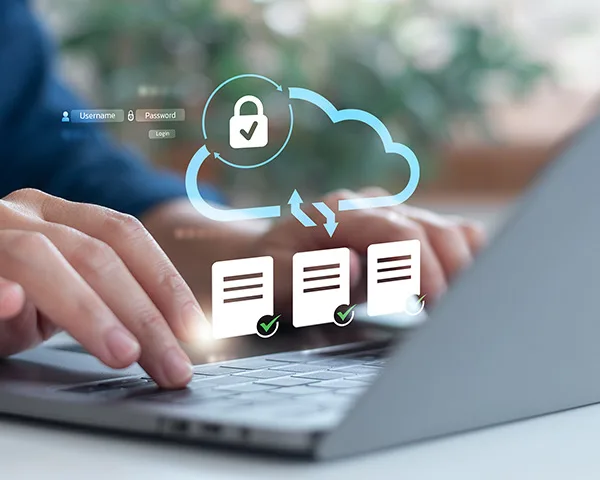

On-site backup setup and configuration for Miami businesses and professionals. We design and implement a backup solution that fits your environment: local, cloud, or both, so your data is protected before something goes wrong.
On-site setup · Miami-Dade · Hablamos Español
The backup you keep meaning to set up
A hard drive failure, a ransomware attack, an accidental deletion, or a stolen laptop can permanently destroy data that took years to build. The difference between a disaster and an inconvenience is whether a backup exists. We set it up correctly, verify it's actually working, and make sure you're protected before the problem happens, not after.
These are diagnostic signals, not guesses. The visit confirms the root cause before work begins.
Everything lives on one drive. If that drive fails, and all drives eventually fail: everything goes with it. There's no second copy, no recovery plan, and no good options.
Many people have a backup solution that hasn't been checked in months or years. Backups fail silently. An unverified backup is not a backup: it's a false sense of security.
A backup that covers some folders but not others leaves gaps you won't discover until you need exactly what wasn't included.
Cloud backup is valuable but not sufficient on its own. If your internet is down, your account is compromised, or the service has an outage, you can't access your data when you need it most.
Standard backups connected to the same network can be encrypted by ransomware along with your live files. Proper backup architecture isolates copies so they can't be reached by an attack.
What we set up
Local, cloud, and hybrid protection are treated as one recovery system. We configure the pieces, schedule them, and verify the restore path before you need it.
We configure on-site backup solutions using NAS devices or external drives with automated, scheduled backups. Local backups mean fast recovery, with no waiting for a large download over the internet.
We set up and configure cloud backup services, such as Backblaze, OneDrive, Google Drive, or your preferred provider, with the right folder selection, scheduling, and retention settings for your situation.
The industry standard: 3 copies of your data, on 2 different media types, with 1 copy offsite. We design and implement this architecture on-site so you're protected against hardware failure, theft, fire, and ransomware simultaneously.
Manual backups don't get done consistently. We configure fully automated schedules: hourly, daily, or weekly depending on how critical your data is, so protection happens without depending on anyone to remember.
We configure backup solutions with versioning and isolation so that even if your live files are encrypted by ransomware, your backup copies remain clean and accessible.
We don't just set it up and leave. We verify the backup is running correctly, confirm files are recoverable, and walk you through how to check it yourself going forward.
Who needs this
Backup isn't just for large companies with IT departments. These are the clients we set this up for most often:
Client records, financial data, contracts, and operational files sitting on machines with no backup plan. One drive failure away from losing everything.
Client files, case documents, and financial records that are irreplaceable and legally sensitive. A proper backup architecture is essential, not optional.
Patient records and clinical data that can't be lost, can't be compromised, and need to be recoverable on a moment's notice.
Years of project files, client deliverables, and creative work stored on a single laptop. One theft or hardware failure without a backup is a career setback.
A near-miss: a drive that almost failed, a ransomware attack that was contained, or a file that was accidentally deleted: is often what finally motivates getting backup set up properly. We've seen it many times. Better late than never.

How many machines, what kind of data, and whether you have any existing backup solution. We'll design the right approach before the visit.

We review your current setup, identify what needs protection, and confirm the backup architecture that makes sense for your environment and budget.

We install and configure the backup solution on-site using local hardware, cloud services, or both, with automated scheduling and proper retention settings.

We run a full verification to confirm backups are working, files are recoverable, and the system is configured correctly. We walk you through how to monitor it going forward.
Backup setup pricing depends on the number of machines, the solution type, and whether hardware is involved. You'll know the full cost before we start.
The cost of setting up a proper backup is a fraction of what data recovery costs, and recovery isn't always possible.
Configuration of local, cloud, or combined backup for one machine. Flat on-site fee plus any hardware or software costs: quoted upfront.
Backup architecture designed and configured across multiple workstations in a single engagement. Priced per machine with a clear total before work begins.
NAS devices and external drives are priced at cost with a transparent sourcing fee if we procure them. If you already have hardware, we work with what you have.
No upfront payment required. All pricing approved before work begins.
Data loss doesn't announce itself in advance. A drive can fail today, ransomware can hit tonight, and a laptop can be stolen tomorrow. The only way to be protected is to have a working backup before any of those things happen.
We respond within a few hours during business hours. For urgent situations: recent data loss or active threats: calling is faster.
Not sure what solution is right for your situation? Call us: we'll ask a few questions and recommend the right approach for your setup and budget.
Prefer a faster response? Email info@miamitechemergency.com or call (305) 873-0480.


We provide on-site computer repair across Miami-Dade and selected Broward cities, with availability confirmed by schedule, distance, and service type.
Miami-Dade
 BrickellDowntown MiamiWynwoodCoral GablesDoralKendallCoconut GroveMiami BeachNorth MiamiMiami LakesMiami SpringsHialeahWestchesterAventuraSunny Isles BeachBal HarbourSurfsideBay Harbor IslandsPinecrestCutler BayHomesteadMedleySweetwaterEl Portal
Key Broward cities
Fort LauderdaleHollywoodPembroke PinesMiramarDaviePlantationWestonSunriseCoral SpringsNearby neighborhoods may also be available. If you're not sure whether your location is covered, call us and we'll confirm the best option for your area.
Call us to check availability










 Chat with us on WhatsApp
 Call us at (305) 873-0480
 Text us at (305) 873-0480