
Loading Miami Tech Emergency
Business network and internet support for a Miami office
When Your Network Stops Working, Your Business Does Too Icon

When Your Network Stops Working, Your Business Does Too

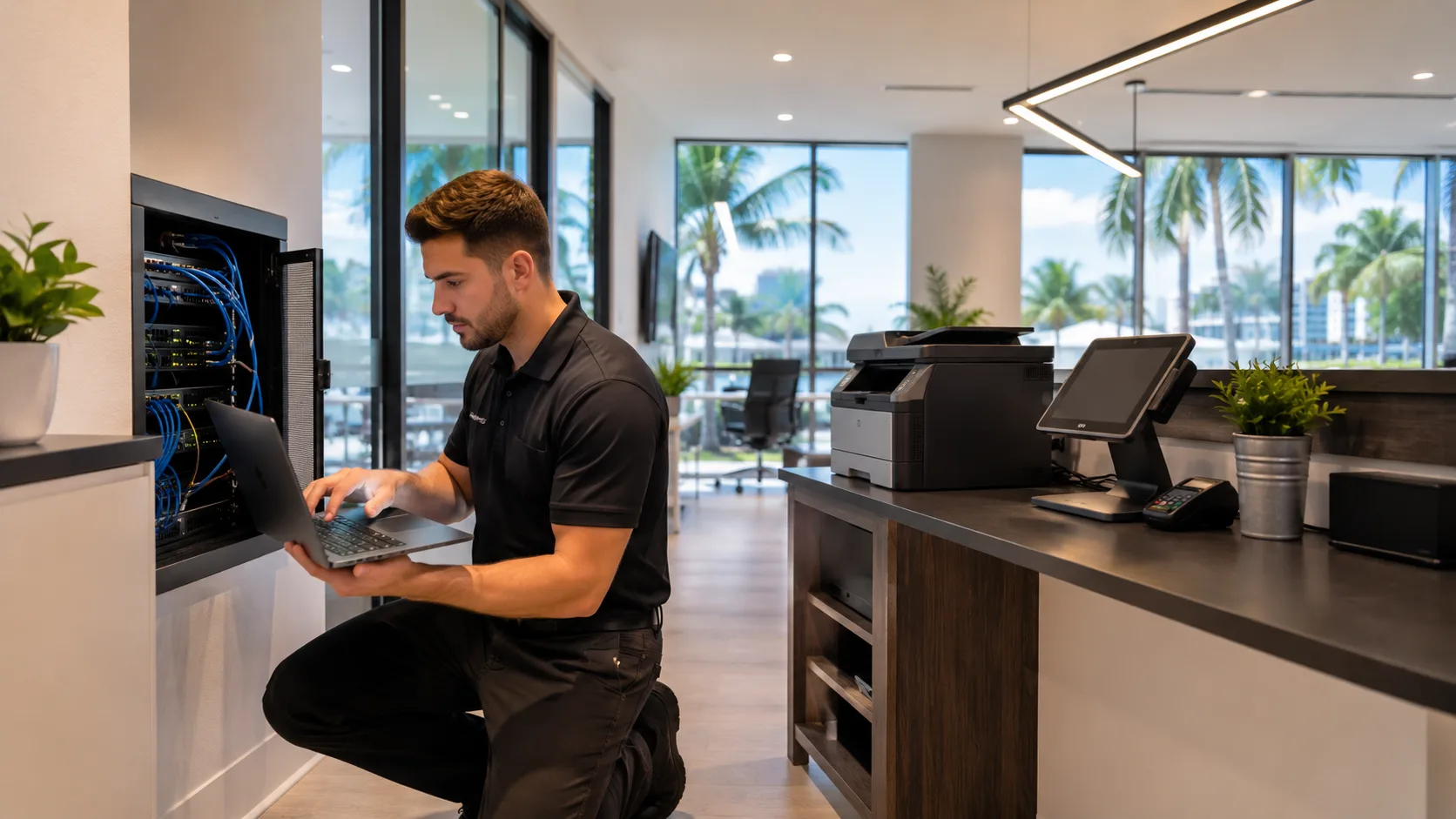
On-site business network and internet support throughout Miami. We troubleshoot unreliable connections, wired and wireless networks, printers, POS systems, shared resources, VoIP, cameras, and the infrastructure connecting them.

On-site troubleshooting · Miami-Dade · Hablamos Español

We diagnose the complete connection, not just the device showing the symptom.

Business network problems

A Network Can Be Online and Still Disrupt the Entire Day

Connectivity problems interrupt employees, transactions, communications, cloud applications, and daily operations. Rebooting the router may hide the symptom temporarily without resolving the cause.

These are diagnostic signals, not guesses. The visit confirms the root cause before work begins.

  • 01

    Slow or Inconsistent Internet

    The connection tests well sometimes but becomes unreliable during normal business activity, cloud work, calls, or peak usage.

  • 02

    Devices Repeatedly Disconnect

    Computers, printers, POS terminals, VoIP phones, cameras, or other systems lose connectivity without an obvious cause.

  • 03

    Printers & POS Systems Go Offline

    A device works from one workstation but not another, disappears intermittently, or stops communicating during business operations.

  • 04

    Shared Resources Are Unreachable

    Computers cannot access shared folders, servers, storage, scanners, or other systems they normally use across the local network.

  • 05

    Calls Freeze or Drop

    Video conferencing and VoIP conversations lose quality even when the internet provider reports no outage.

  • 06

    Intermittent Problems Nobody Can Reproduce

    The network appears normal during a quick test, then fails again later with no visibility into what changed.

Your provider is not always the problem

The Internet Entering the Building May Be Working Perfectly

A speed test alone cannot explain how the local network behaves. The fault may be elsewhere in the environment.

  • Poor Coverage or an Overloaded Access Point

    The internet entering the building may be fine while the wireless network cannot deliver it reliably to users and devices.

  • Aging or Misconfigured Equipment

    Routers, firewalls, access points, and switches can become limitations as the business and device count grow.

  • Damaged Cabling or Switching Problems

    A failing Ethernet cable, network loop, unstable switch port, or poor uplink can cause symptoms far from the actual fault.

  • Backups, Cameras, or Updates Using Bandwidth

    Cloud synchronization, video uploads, large downloads, and software updates can quietly consume the available connection.

  • Too Many Devices for the Infrastructure

    A small team can still operate dozens of computers, phones, tablets, printers, cameras, displays, and guest devices.

  • One Device Consuming the Connection

    A single system, unexpected device, or poorly configured service can affect the entire office even when every other device is healthy.

More than just internet

One Network Connects Every Part of the Operation

A fault affecting one component can create symptoms somewhere completely different. That is why troubleshooting the whole environment is often more effective than repeatedly replacing individual devices.

  • Computers, Laptops & Tablets

    Employee workstations, mobile devices, conference room equipment, TVs, digital displays, and phones.

  • Printers & Scanners

    Shared office printers, scanners, receipt stations, and kitchen printers that depend on stable local communication.

  • Servers, Storage & Shared Files

    Local servers, NAS devices, shared folders, and systems that must remain reachable from the right computers.

  • POS & Payment Systems

    Registers, credit card terminals, ordering devices, inventory systems, and the equipment supporting daily transactions.

  • Security & Access Systems

    Cameras, recorders, access control, smart devices, and other connected equipment that may generate significant traffic.

  • VoIP & Communications

    Internet-based phones, video conferencing, and cloud applications that expose instability immediately.

What we can evaluate

Business Network Support From the Provider Handoff to the Device

We investigate the existing environment first, then recommend improvements only when the current infrastructure cannot solve the problem reliably.

  • End-to-End Network Troubleshooting

    We inspect the connection from the internet handoff through the router, firewall, switches, cabling, access points, and affected devices.

  • Network Usage & Device Visibility

    When the equipment allows it, we help identify connected devices, heavy bandwidth users, unexpected activity, and peak usage periods.

  • Network Separation

    Business computers, employee devices, guests, POS systems, cameras, and smart devices can be separated for better security, stability, and control.

  • Internet Redundancy & Failover

    For businesses that cannot afford a single point of failure, we can evaluate backup connectivity and automatic failover options.

  • Cabling, Switches & Wired Connections

    We investigate damaged cables, unstable ports, switching problems, poor network organization, and devices that should not rely on Wi-Fi.

  • Practical Network Improvements

    When existing infrastructure is no longer adequate, we recommend targeted upgrades based on the limitation we actually find.

Protect business systems

Guest Devices Should Not Share Everything

Customers, visitors, employees, POS systems, cameras, smart devices, and office computers do not all need access to the same network resources. Separation can improve security, stability, and control.


Remove the single point of failure

What Happens If the Internet Goes Down?

Businesses relying on cloud applications, phones, POS systems, or online services may benefit from a second connection and automatic backup connectivity so critical operations can remain online.

On-site support for Miami businesses

Built Around the Systems Your Team Uses Every Day

Whether the business has a few employees or dozens of connected devices, the network should remain stable throughout the working day.

  • Professional Offices

    Accounting, tax, law, insurance, consulting, engineering, architecture, real estate, and property management firms.

  • Medical & Financial Offices

    Teams that depend on reliable access to professional systems, communications, cloud platforms, and sensitive business resources.

  • Retail Businesses

    POS terminals, payment devices, inventory tools, employee systems, cameras, displays, and customer connectivity.

  • Restaurants & Hospitality

    Ordering systems, kitchen printers, handhelds, registers, cameras, music, VoIP, staff devices, and guest access.

  • Warehouses & Operational Facilities

    Large or separated spaces with office systems, mobile devices, printers, cameras, and wired or wireless links between work areas.

  • Small & Growing Businesses

    Organizations without internal IT staff that need someone to diagnose the complete environment on-site.

Solve before replacing

Troubleshooting First. Modernization When It Makes Sense.

Our goal is to solve the immediate problem while helping you understand what caused it.

Troubleshooting First

Not every problem requires replacing everything. The solution may be a configuration change, damaged cable, overloaded device, switching issue, or a fault the internet provider needs to address.

Modernization When It Makes Sense

If the current infrastructure cannot support the business, we can recommend better coverage, access points, switches, router or firewall upgrades, segmentation, redundancy, improved cabling, and monitoring.

Clear before we begin

Transparent Visit Pricing

Our on-site diagnostic visit is a flat $150 that covers travel and the first hour of hands-on diagnosis. If you approve the recommended work, the $150 is credited toward the repair. You'll always know the price before anything is touched.

Standard rate for Miami-Dade during business hours. Broward, after-hours, and multi-site visits are quoted when you book and always confirmed before the visit.

How On-Site Network Support Works

Many network problems need to be reproduced and inspected in the environment where they occur.

  • Describe the Problem Icon
    Step 1

    Describe the Problem

    Tell us what is happening, where the business is located, which devices are affected, and when the issue occurs.

  • Inspect the Environment Icon
    Step 2

    Inspect the Environment

    On-site, we review the internet handoff, equipment, cabling, Wi-Fi conditions, affected systems, and how the business uses the network.

  • Find the Actual Cause Icon
    Step 3

    Find the Actual Cause

    We look beyond a speed test to determine whether the fault is internal, device-specific, configuration-related, or with the provider.

  • Resolve or Recommend Icon
    Step 4

    Resolve or Recommend

    We address practical problems when possible and explain the next step clearly when equipment, cabling, or provider action is required.

CTA Icon

Need Help With Your Business Network?

Tell us what is happening, where your business is located, and which devices are affected. We’ll troubleshoot the existing network and recommend the next step based on what we find.

Questions before your visit

Frequently Asked Questions

Contact Miami Tech Emergency

Describe the Network Problem

Include when the problem began, which devices or areas are affected, whether the issue is constant or intermittent, and any recent provider or equipment changes.

Miami skyline at sunset
Miami Icon

Miami-Dade & Broward Service Areas

We provide on-site computer repair across Miami-Dade and selected Broward cities, with availability confirmed by schedule, distance, and service type.

Miami-Dade

  • Brickell
  • Downtown Miami
  • Wynwood
  • Coral Gables
  • Doral
  • Kendall
  • Coconut Grove
  • Miami Beach
  • North Miami
  • Miami Lakes
  • Miami Springs
  • Hialeah
  • Westchester
  • Aventura
  • Sunny Isles Beach
  • Bal Harbour
  • Surfside
  • Bay Harbor Islands
  • Pinecrest
  • Cutler Bay
  • Homestead
  • Medley
  • Sweetwater
  • El Portal

Key Broward cities

  • Fort Lauderdale
  • Hollywood
  • Pembroke Pines
  • Miramar
  • Davie
  • Plantation
  • Weston
  • Sunrise
  • Coral Springs

Nearby neighborhoods may also be available. If you're not sure whether your location is covered, call us and we'll confirm the best option for your area.

Call us to check availability
Servicing professional laptops, desktops, and workstations from leading manufacturers:
Toshiba
Microsoft Surface
IBM
Lenovo
Samsung
Apple
ASUS
Dell
HP
Acer
Ubiquiti
Unifi